
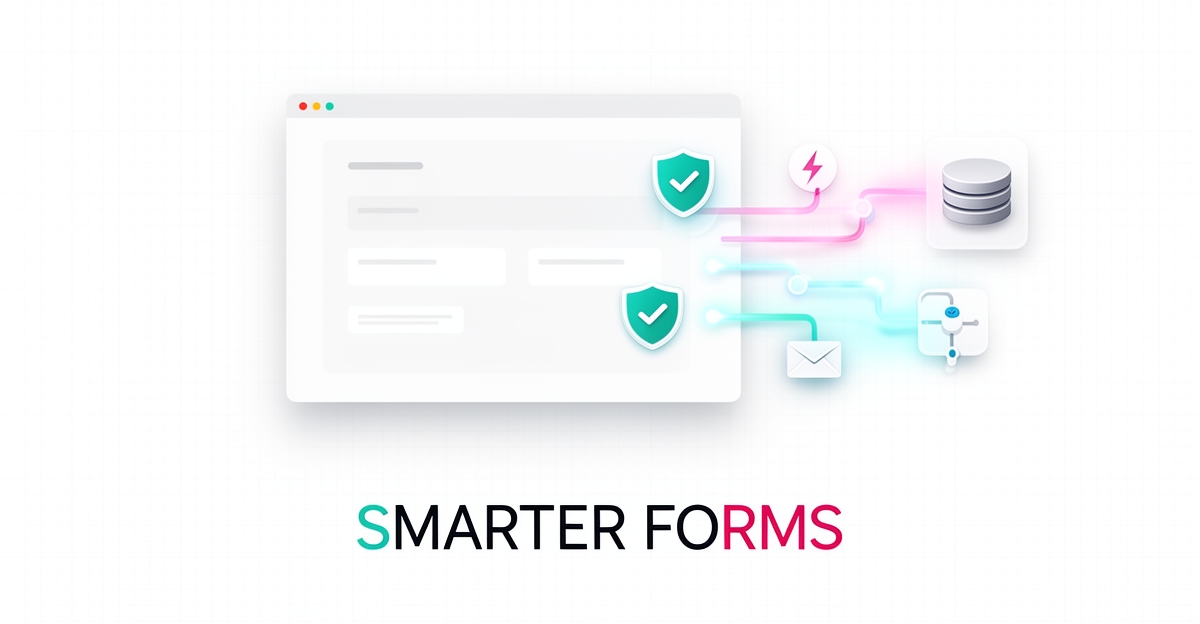
Key facts
- Real-time validation blocked 37% of junk leads and improved data quality within 24 hours, according to lead gen form tests.
- Pairing form builders with validation tools reduces fake lead submissions by up to 70%, Clearout research shows.
- HubSpot Forms automatically adds every submission to your CRM, according to product documentation.
- Most form builder software stops at submission, forcing users to rely on separate tools for email and CRM, industry research warns.
- Lead capture is only the first step—automated emails and follow-ups move leads through the funnel, Salesforce guidance notes.
- Jotform offers 10,000+ templates and HIPAA compliance starting at $34/month, comparative analysis shows.
- Conditional logic and multi-step forms reduce abandonment by guiding users through relevant fields based on their responses.
WANT RESULTS LIKE THIS?
Imagine a system doing all of this for your local business — every day, without you.
We build local businesses a custom website with a team of AI behind it: every lead captured and followed up, new content published monthly,customers finding you on Google — live in 7 days.
- 85+ pages at launch
- Every lead followed up, automatically
- Your whole business on one screen
The Hidden Cost of a Form That Just Collects Data
Most form builders stop at submission, leaving business owners to manually sync leads into a CRM, chase follow-ups, and filter out junk entries. This gap turns a simple data collection tool into a source of hidden costs—especially for small businesses already managing disconnected systems.
Choosing the wrong form builder costs you more than money—it costs you leads. According to industry research, most form builder software stops at the submission, forcing users to rely on separate tools for email, CRM, and analytics. That fragmented workflow creates delays, errors, and missed opportunities—particularly when leads aren’t nurtured in real time.
For AI Business Sites users, the stakes are higher because the platform is designed as a done-for-you operating system where the website answers, writes, sells, and follows up automatically. When a form doesn’t integrate natively with the built-in CRM and email systems, it breaks that automation chain. Leads sit idle until someone manually exports and imports them—time that could be spent serving customers or closing deals.
Data quality compounds the problem. A recent study found that implementing real-time validation blocked 37% of junk leads and improved data quality within 24 hours. Without validation at the point of capture, fake or incomplete submissions clog the CRM, wasting follow-up effort and distorting performance metrics. Pairing form tools with dedicated validation solutions can reduce fake lead submissions by up to 70%, ensuring only genuine prospects enter the nurture flow.
To align with AI Business Sites’ automation-first approach, forms must do more than collect—they must trigger action. HubSpot’s documentation highlights that every form submission can automatically add contacts to the CRM and enable personalized messaging and email campaigns. Features like conditional logic and multi-step forms further reduce abandonment by guiding users through relevant fields based on their responses.
Ultimately, the best form tool for this ecosystem isn’t the one with the most templates or the lowest price—it’s the one that eliminates manual steps, validates data in real time, and feeds seamlessly into the AI-driven workflows already running behind the site. When forms become part of the system—not a separate task—the hidden cost of data collection disappears.
What Separates a Form Tool From a Lead-Capture System
What separates a basic form tool from a true lead-capture system comes down to three non-negotiable criteria: native CRM integration that eliminates manual data-sync steps, built-in post-submission automation for follow-up and nurturing, and real-time data validation that ensures only quality leads enter your pipeline. As industry research confirms, the difference between effective and forgettable form builders lies in what happens after submission—not just the data collection itself.
Native CRM integration is foundational because it removes the friction of exporting, importing, and reconciling data between systems. When a form tool natively syncs with your CRM—like HubSpot Forms does with HubSpot’s Smart CRM—every submission flows directly into your lead pipeline without manual intervention. This seamless flow aligns perfectly with AI Business Sites’ done-for-you approach, where the website functions as an integrated operating system rather than a disconnected brochure.
Equally critical is built-in automation that triggers immediately after submission. Top form builders enable personalized follow-up emails, lead nurturing sequences, and contact tagging directly within the platform—no separate email tool or workflow builder needed. This capability ensures leads are engaged in real-time, increasing conversion potential while reducing the risk of cold outreach. As noted by experts, most form builders stop at the submission, leaving businesses to patch together fragmented tools for email, CRM, and analytics—a costly inefficiency that undermines lead quality and response speed.
Finally, real-time data validation acts as a gatekeeper against junk and fake submissions. Research shows that implementing a validation solution like Clearout Form Guard can block 37% of junk leads and reduce fake submissions by up to 70% within 24 hours. This immediate improvement in data quality protects your CRM from corruption and ensures automation efforts target genuine prospects—not bots or typos. When paired with conversion-boosting features like conditional logic and multi-step forms—which reduce drop-offs by guiding users through relevant questions—validation transforms a form from a passive collector into an active lead-qualification engine.
For businesses using AI Business Sites, selecting a form tool that meets these three criteria means choosing a system that works in harmony with the platform’s CRM, email automation, and AI-driven follow-up—turning every submission into a tracked, nurtured, and actionable opportunity without added complexity.
The Form Builder Landscape: How the Top Options Compare
Ask ten business owners which form builder is best, and you'll get ten different answers — because most reviews rank tools by feature count, not by what actually happens after someone hits "submit." That's the mistake that costs leads.
A better approach is to evaluate each option against three questions: Does it sync with your CRM without manual steps? Does it trigger follow-up automatically? Does it keep junk data out of your pipeline? As one form-builder comparison puts it, "Most form builder software stops at the submission" — and that's exactly where lead loss begins.
Here's how the leading options stack up against those criteria.
HubSpot Forms scores 4.4/5 on G2 and stands out for native CRM capture — every submission is added to the CRM automatically, where it can feed personalized email campaigns and lead nurturing. Built-in conditional logic and multi-step forms keep drop-offs low, and analytics track views and conversion rates out of the box. For businesses whose form tool needs to feed a CRM and email system directly, this is the strongest documented alignment.
Jotform holds the highest G2 rating in this group at 4.7/5, with 10,000+ templates, HIPAA compliance, and a free plan limited to five forms; paid plans start at $34/month. It's a capable builder, but the research emphasizes that its value depends on what you connect it to — the templates don't run your follow-up for you.
WPForms (4.6/5 on G2) is the WordPress-optimized pick, with a free Lite plan and Pro from $49/year. It's a practical choice if your site already runs on WordPress and you want a lightweight capture layer.
Zoho Forms offers direct two-way sync with Zoho CRM from $10/month, with a 4.4/5 G2 rating. That two-way sync matters: industry analysis identifies native CRM sync as a must-have for seamless lead flow without manual intervention.
Beyond the big names, Fillout offers a free plan with unlimited forms and 1,000 submissions/month (paid from $19/month), while Formstack starts at $50/month billed annually with no free plan. And Google Forms remains free — fine for basic collection, but it stops at the spreadsheet.
Two caveats apply across all of them. First, validation: in one lead-gen form test, adding real-time email and phone verification blocked 37% of junk leads, with data quality improving within 24 hours. Second, placement and design: Salesforce's guidance notes that lead capture is only the first step — automated emails and follow-ups are what actually move leads through the funnel.
This is why form selection can't be separated from your broader system. At AI Business Sites, lead capture, CRM, and automated follow-up are one integrated platform rather than separate tools stitched together — so any external form connects through a webhook ingest URL that deduplicates leads, sends branded auto-responses, and drops them straight into the CRM.
- Need native CRM capture and built-in automation? HubSpot Forms leads on documented alignment.
- Want maximum templates and compliance features? Jotform, from $34/month.
- Running WordPress? WPForms Pro at $49/year is the natural fit.
- On a tight budget with Zoho CRM? Zoho Forms' two-way sync starts at $10/month.
The "best" program isn't the one with the longest feature list — it's the one whose submissions reach your CRM clean, fast, and ready for follow-up. Choosing on any other basis, as one comparison warns, costs you more than money: it costs you leads.
Local business: doing this the old way?
One system replaces the whole pile.
All of it — the website, the follow-up, the content, the leads — built and run for you for $1,497 + $497/mo. Month-to-month, and you own everything.
See what your build includesMaking Your Forms Work With Your CRM and Email — Not Alongside Them
When a lead comes in through your form, the real work begins—not ends. Smart businesses know that capturing contact information is only the first step; automated follow-up is what actually moves prospects through the sales funnel and turns interest into opportunity. Without seamless integration between your forms, CRM, and email systems, leads can sit untouched in a spreadsheet while competitors respond in minutes.
AI Business Sites eliminates this gap by building forms that feed directly into an integrated CRM and email engine—no manual exports, no Zapier zaps, no duct-taped subscriptions. Every submission triggers instant, branded auto-responses and creates a lead record in your CRM, where AI-powered workflows can nurture contacts with personalized messaging based on their form answers. This end-to-end flow ensures no lead falls through the cracks and that follow-up happens in seconds, not days.
To make this work, prioritize form tools with native CRM connections or webhook capabilities that sync data in real time. HubSpot Forms, for example, automatically adds every submission to its Smart CRM and enables built-in automation like follow-up emails and lead nurturing campaigns directly from the form builder—eliminating manual steps and aligning with AI Business Sites’ done-for-you approach. Advanced features like conditional logic and multi-step forms further improve conversion by creating personalized, context-aware experiences that reduce abandonment. According to industry research, 67% of businesses see higher lead quality when forms include real-time validation to block junk submissions at the point of capture. Pairing your form builder with a validation tool like Clearout Form Guard can reduce fake leads by up to 70% and improve data quality within 24 hours—ensuring only genuine prospects enter your CRM and automation systems.
Finally, leverage analytics dashboards to continuously optimize performance. The best form builders provide visual reports on views, conversion rates, and submission trends, giving you measurable feedback to refine fields, logic, and follow-up timing. When forms, CRM, email, and analytics operate as one unified system—like they do in AI Business Sites’ managed platform—you gain the insight needed to improve lead quality and conversion over time, without needing a team of specialists to stitch it all together.
Choosing in 30 Minutes: A Simple Decision Framework
Choosing in 30 Minutes: A Simple Decision Framework
You don’t need weeks of testing to pick the right form tool. Focus on what happens after the submit button: does it sync to your CRM natively, trigger follow-up automatically, and validate data at capture? These three questions cut through the noise and align directly with AI Business Sites’ done-for-you approach where lead capture, CRM, and instant follow-up are built in.
Start with a short checklist: Does it sync to your CRM natively? Does it trigger follow-up automatically? Does it validate data at capture? Can you see conversion analytics? If the answer is no to any of these, you’ll likely end up patching together separate tools—adding subscriptions, integrations, and maintenance overhead. HubSpot Forms, for example, scores 9/10 for relevance with native Smart CRM capture, drag-and-drop editing, built-in automation like follow-up emails, and advanced conversion features including conditional logic and analytics according to HubSpot’s product documentation. Meanwhile, research shows that pairing any form builder with real-time validation like Clearout Form Guard can block 37% of junk leads and reduce fake submissions by up to 70%, improving data quality within 24 hours as demonstrated in lead gen form tests.
The honest trade-off? Standalone tools work but add another subscription and another integration to maintain—exactly the kind of duct-taped stack AI Business Sites replaces. Instead, consider the alternative: a done-for-you system where forms, CRM, and instant lead follow-up are built in from day one. No extra logins, no sync delays, no missed leads. If you’d like to see how it works for your business, book a free strategy call—no obligation, just a real conversation about what you need.
Frequently Asked Questions
What makes a form tool truly effective for lead capture instead of just collecting data?
How does real-time validation improve lead quality in form submissions?
Which form builder is best aligned with AI Business Sites' automation-first approach?
Can I use external form tools with AI Business Sites if they don't integrate natively?
What are the three key criteria to evaluate when choosing a form tool for my business?
Is it worth paying more for a form tool with native CRM integration and automation?
Turn Your Forms Into a Lead Engine
The best form tool isn’t just about collecting data—it’s about what happens after submission. As we’ve seen, native CRM integration, automated follow-up, and real-time validation turn a simple form into a lead-capture system that works with your business, not against it. For AI Business Sites users, this means forms that feed directly into the built-in CRM and email engine, triggering instant responses and AI-powered nurturing without manual steps. When your form becomes part of an integrated system, you eliminate hidden costs, improve lead quality, and free up time to focus on serving customers. If you’re ready to see how a fully managed website with intelligent forms, CRM, and automation works in practice, book a free strategy call to explore what’s possible for your business—no obligation, just a clear conversation about your goals.
FOR local businesss — BUILT AND RUN BY US
Your website. Your content. Your leads. Your data.
$500 starts your build. Seven days later it's live — chat, booking, follow-up, and your Google presence all set up. Then we run it, every month. You do the work you actually get paid for.