
Key facts
- Squarespace default Heading 1 is at least 4rem, causing owners to skip H1 for SEO practitioner audits show
- Heading styles and order are super messed up and can't be fixed without altering design SEO consultants report
- Squarespace Basic plan charges 2% transaction fees while Core and higher are 0% plan comparisons confirm
- Adding categories or tags creates pseudo pages that trigger duplicate content flags specialists warn
- Squarespace offers no code export, locking businesses into its ecosystem industry analysis notes
- Alt text entry points vary by block type, increasing risk of missing or caption-derived alt SEO audits flag
WANT RESULTS LIKE THIS?
Imagine a system doing all of this for your local business — every day, without you.
We build local businesses a custom website with a team of AI behind it: every lead captured and followed up, new content published monthly,customers finding you on Google — live in 7 days.
- 85+ pages at launch
- Every lead followed up, automatically
- Your whole business on one screen
SEO Limitations Built Into the Template System
Squarespace looks polished on launch day, but the design-first template system creates SEO problems you can’t design around.
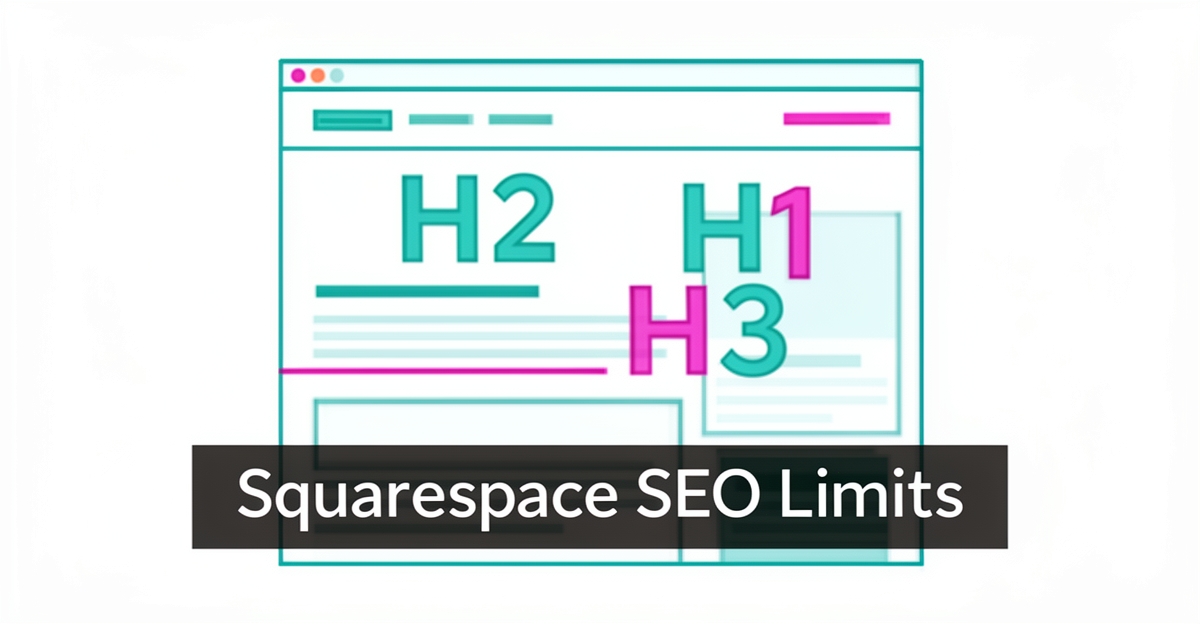
Heading hierarchy is locked to visual styling. On Squarespace the visual style of a font is tied to the HTML heading tag, so a Heading 1 is forced to be enormous — at least 4rem by default. Practitioners report that almost every time they open a Squarespace site built by a client, the page doesn’t have a Heading 1 headline because the default design is huge, and owners skip to Heading 2 or Heading 3 to use a smaller font, which is not great for SEO. SEO audits of Squarespace sites consistently flag heading styles and heading order as super messed up and can’t be fixed without altering design.
Alt text handling is inconsistent across blocks. Where you put alt text varies widely depending on block type, and Squarespace’s own instructions have separate instructions for Image Blocks, Gallery Page Images, Gallery Blocks, Product Images, Cover Page Images, and Thumbnail Images. One biggest issue is when alt text is taken from the image’s caption, which is problematic because proper alt text and engaging captions are not the same thing. Practitioner guides note this inconsistency as a recurring SEO friction point.
Duplicate content is built in through pseudo pages. Squarespace can create “pseudo pages” whenever categories or tags are added to blogs or shops, leading to duplicate content flags. SEO specialists also flag lack of control over underlying code as a trade-off for security, which means less flexibility for sophisticated speed optimizations.
Meta control has improved but remains template-bound. Historically Squarespace used the Site Meta Description for any page or post where you don’t specify a different meta description, so the site description was almost always applied to multiple pages. Longitudinal audits show the platform has slowly worked to correct SEO limitations over the last five years, yet the core constraint persists: design choices drive markup.
These are the exact gaps template builders leave open:
- Heading tags are style-locked, so SEO hierarchy is sacrificed for visual size
- Alt text entry points differ by block, increasing the risk of missing or caption-derived alt
- Category and tag archives generate pseudo pages that can trigger duplicate content
For owners comparing options in AI Website Builders, the pattern is clear: Squarespace is a traditional drag-and-drop builder that added AI tools on top, not an AI-first architecture. Industry comparisons note that AI-first builders win on speed but typically lack robust SEO tools and integration depth for long-term growth.
That’s where a managed approach differs. AI Business Sites builds custom sites where heading structure, meta data, schema and internal linking are decoupled from visual design, and a content engine publishes 14+ new SEO pieces per month with consistent markup and human-in-the-loop governance. The site is owned outright, the CRM and lead follow-up run behind it, and SEO control is part of the service, not a workaround the owner has to learn.
Ownership and Long-Term Flexibility Trade-Offs
Squarespace’s design-first approach creates real constraints for businesses that need to own their digital foundation and evolve over time. The platform does not allow code export, which means users cannot download their site’s underlying files to move to another host or developer—a significant limitation highlighted in comparative analyses of website builders. This lack of portability locks businesses into Squarespace’s ecosystem, making long-term flexibility difficult to achieve without rebuilding from scratch.
Beyond code access, Squarespace templates tie critical SEO elements directly to visual design, forcing trade-offs between aesthetics and search performance. For example, heading styles and hierarchy are often “super messed up” and cannot be corrected without altering the page’s design, leading many users to skip proper H1 tags in favor of smaller fonts that undermine SEO structure. Image alt text placement also varies inconsistently across block types, requiring manual workarounds that are easy to overlook. These constraints are not merely inconvenient—they directly impact how well a site can rank and adapt as SEO best practices evolve.
For businesses planning to grow, these limitations compound over time. Unlike managed solutions that provide full ownership of code, content, and data, Squarespace offers no path to export a site’s full architecture, even as open-standard technologies like React and Next.js are widely supported elsewhere. AI Business Sites addresses this gap by building on standard frameworks and granting clients complete control—ensuring that as their needs change, their website can move with them, not the other way around. This ownership model eliminates the risk of being stranded on a platform that prioritizes design consistency over long-term business agility.
Local business: doing this the old way?
One system replaces the whole pile.
All of it — the website, the follow-up, the content, the leads — built and run for you for $1,497 + $497/mo. Month-to-month, and you own everything.
See what your build includesPricing Friction and Hidden Costs Beyond the Monthly Fee
Squarespace’s advertised pricing often masks the true cost of running a functional business website. The platform’s lowest tier, the Basic plan at $16 per month, carries a 2% transaction fee on every sale, which can quickly erode margins for businesses selling products or services online industry research. To avoid this fee, users must upgrade to the Core plan or higher — a jump that doubles the monthly cost before any additional features are considered.
Beyond the base subscription, essential functionality frequently requires paid add-ons or third-party integrations. Features like advanced video hosting, premium blog layouts, or enhanced ecommerce tools are not included in standard plans and must be purchased separately, leading to unpredictable monthly expenses platform stability and hidden costs are flagged. Many businesses also find they need to hire a Squarespace designer to move beyond generic templates and achieve a custom, strategic layout that aligns with their brand — a cost that isn’t reflected in the platform’s sticker price template limitations are implied through service positioning.
These hidden costs create a significant gap between what Squarespace advertises and what businesses actually invest to maintain a professional, conversion-optimized site. Unlike managed solutions that bundle design, ongoing content, CRM, and technical maintenance into a single predictable fee, Squarespace’s modular pricing forces owners to piece together a working system — often at a higher total cost and with ongoing management overhead. For service businesses seeking a done-for-you presence that includes AI-driven content, lead tracking, and automated follow-ups without surprise fees, this friction highlights why template builders fall short as a long-term operating system. AI Business Sites addresses this by offering a flat $1,497 setup and $497/month fee with no transaction fees, no required add-ons for core functionality, and full ownership of the website and data — turning website costs into a predictable line item rather than a variable expense.
Why a Managed AI Website With CRM Solves These Gaps
Template builders get you live fast, then hand you the maintenance. Squarespace is a traditional drag-and-drop platform with AI tools added on top, not an AI-first architecture built for long-term operation. Practitioner comparisons stress that the question that really matters is what happens after Day 1.
SEO control is locked to design choices. Heading styles and heading order are usually super messed up and can’t be fixed without altering design. SEO consultants note the default Heading 1 is at least 4rem, so owners skip to Heading 2 or 3 for a smaller font, which is not great for SEO. Alt text placement varies by block type and Squarespace’s own instructions differ for Image Blocks, Gallery Blocks, Product Images and more.
Meta control and duplicate content add friction. Squarespace actually uses the Site Meta Description for any page where you don’t specify a different meta description, so it is almost always applied to multiple pages. Longitudinal audits also flag pseudo pages created whenever categories or tags are added to blogs or shops, leading to duplicate content flags. Platform reviews confirm lack of control over underlying code limits sophisticated speed optimizations.
Pricing and ownership create long-term risk. Transaction fees are 2% on the Squarespace Basic plan, 0% on Core and higher. Plan comparisons also list no code export as a core downside. AI-first builders win on speed but typically lack robust ecommerce, SEO tools, and third-party integrations needed for business growth. Industry analysis warns what you got on Day 1 is pretty much what you have on Day 30.
A managed AI website with CRM decouples design from SEO control and closes the Day 90 gap. AI Business Sites builds a custom React/Next.js site with 85+ pages live in 7 days, then runs the AI back office behind it. Design, heading hierarchy, schema markup and meta control are handled by the build team, not by template constraints.
Ownership and predictable operations replace add-on creep. The client owns code, content, data, domain and can leave with a full GitHub repo and database export on month-to-month terms with 30 days’ notice. The monthly fee includes hosting, maintenance, 14+ new SEO pieces per month, 24/7 chat and voice, CRM, lead follow-up and the field-service Jobs & Estimates loop.
The done-for-you model delivers what template builders leave unfinished:
- Full SEO control without design trade-offs, with consistent meta, schema and internal linking built into every page
- Built-in CRM and automation so leads are captured, followed up and nurtured automatically, not duct-taped together
- One predictable price with no per-seat fees, transaction fees or feature gates, and no code export lock-in
Instead of babysitting a builder, owners get a website that runs the business while they run their trade.
Frequently Asked Questions
Why do SEO experts say Squarespace heading structure hurts search rankings?
Does Squarespace create duplicate content automatically?
Is it true I can't export my Squarespace site code to move elsewhere?
Why does Squarespace charge transaction fees on its cheapest plan?
Has Squarespace fixed its SEO problems in recent years?
What's the real difference between Squarespace and AI-first website builders?
When Your Website Should Work As Hard As You Do
Squarespace’s design-first approach creates real trade-offs: heading hierarchy gets sacrificed for visual style, alt text handling varies by block, and pseudo pages from categories or tags can trigger duplicate content issues. Add in transaction fees on lower plans, no code export, and the need for add-ons or designers to move beyond generic templates, and it’s clear why many businesses outgrow the platform as they scale. What starts as a polished launch often becomes a maintenance burden that limits SEO control, ownership, and long-term flexibility. If you’re ready for a website that doesn’t just look good but actually runs your business — capturing leads, following up, publishing content, and owning your data end-to-end — the next step is a conversation. Book a free strategy call to see how a managed AI website with CRM compares to your current setup, with no obligation and no pressure. Book Your Free Strategy Call
FOR local businesss — BUILT AND RUN BY US
Your website. Your content. Your leads. Your data.
$500 starts your build. Seven days later it's live — chat, booking, follow-up, and your Google presence all set up. Then we run it, every month. You do the work you actually get paid for.