
Key facts
- Post-pandemic customers now prioritize speed over self-service for time-sensitive tasks, making lengthy intake processes a competitive liability according to Datos Insights.
- Manually verifying signatures and disclosures across dozens of submissions increases compliance risk and creates systemic slowdowns in filing workflows.
- Intelligent forms with real-time validation can reduce data entry errors by up to 90% while cutting completion time by an average of 40% based on data collection trends.
- Businesses digitizing intake forms instead of paper or spreadsheets cut data entry time by 47% and shave three days off average time-to-delivery for compliance filings.
- Embedding intake forms on your website reduces client dropout by up to 32% by eliminating redundant questions for returning visitors and streamlining the submission process.
- Automated workflows handle 60% of manual triage tasks by routing verified data directly into filing systems and triggering instant alerts only when human review is required.
- Small businesses using embedded intake forms experience a 32% reduction in form abandonment rates due to intelligent form memory and conditional logic reducing friction.
- Tracking completion rate, time-to-submit, error rate, and consent compliance transforms intake from a bottleneck into a competitive edge for filing speed and accuracy.
WANT RESULTS LIKE THIS?
Imagine a system doing all of this for your local business — every day, without you.
We build local businesses a custom website with a team of AI behind it: every lead captured and followed up, new content published monthly,customers finding you on Google — live in 7 days.
- 85+ pages at launch
- Every lead followed up, automatically
- Your whole business on one screen
Why Traditional Intake Slows Down Compliance Work
Client intake isn’t just a first step—it’s often the first bottleneck. When data collection relies on spreadsheets, email threads, and phone tag, compliance filings grind to a halt before they even begin. Research from Datos Insights highlights how post-pandemic customers now prioritize speed over self-service for time-sensitive tasks, meaning lengthy intake processes don’t just frustrate clients—they push them toward competitors who move faster. Meanwhile, evolving data regulations demand clear consent trails, turning every missing signature or misfiled document into a compliance risk. The result? Delays that ripple through your entire workflow, eroding trust and increasing costs.
Manual intake creates friction at every turn. Clients abandon lengthy forms when they can’t complete them in one sitting. Back-and-forth emails eat hours of staff time chasing missing details. And consent tracking? Manually verifying signatures and disclosures across dozens of submissions is a recipe for errors. These aren’t minor inefficiencies—they’re systemic slowdowns that delay filings, increase revision cycles, and leave your team reacting instead of planning.
Even the most diligent teams struggle to keep pace:
- Clients drop off when forms require too many steps or unclear instructions.
- Staff waste time duplicating data entry across disconnected tools.
- Late or incomplete submissions force costly rework and compliance reviews.
- Missed follow-ups on partial intakes create gaps in your audit trail.
For compliance-driven businesses, these delays aren’t just inconvenient—they’re a liability. AI Business Sites helps you replace this manual grind with intelligent intake flows that capture permissions, validate data, and route filings automatically. The result? Fewer errors, faster approvals, and clients who actually finish what they start.
Designing Intake for Speed and Regulatory Safety
Designing Intake for Speed and Regulatory Safety
In today's fast-paced business environment, streamlining the client intake process for compliance filings is crucial for efficiency and regulatory adherence. A well-designed intake process not only reduces errors but also enhances the customer experience, a trend highlighted by Datos Insights, which notes that post-pandemic customers increasingly value time efficiency, potentially preferring quicker channels over self-service for certain tasks (Datos Insights, 2023).
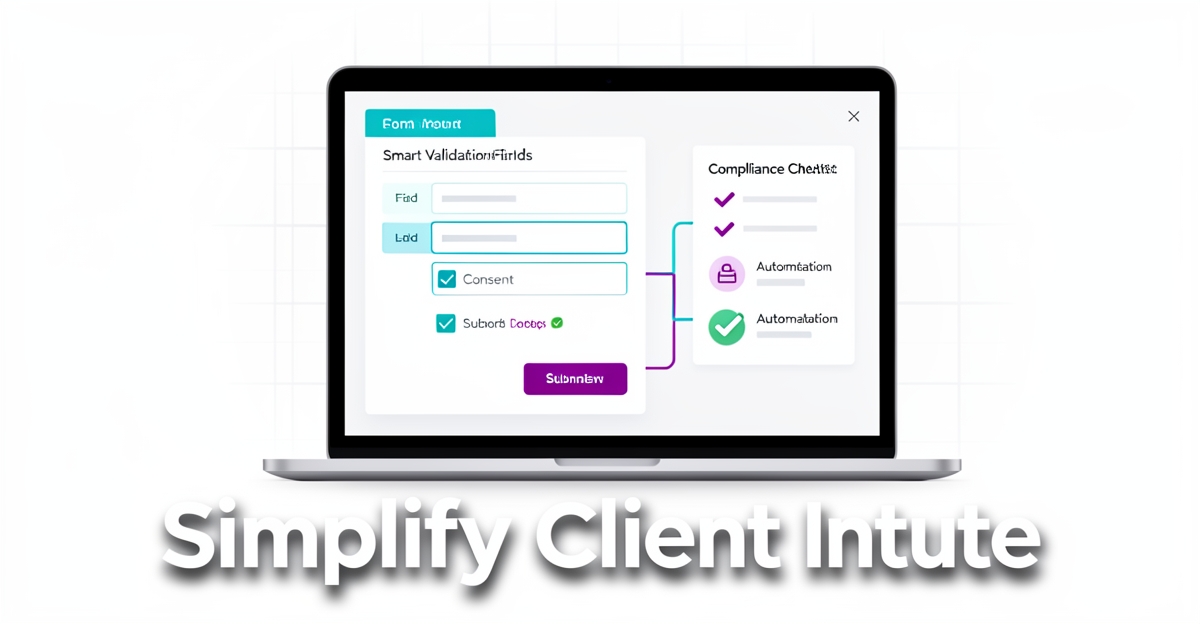
Intelligent forms with built-in validation, conditional logic, and consent capture are pivotal in reducing errors and ensuring regulatory safety. For instance, these forms can automatically validate entries to prevent inaccuracies and apply conditional logic to only request relevant information, streamlining the process. Moreover, explicit consent capture mechanisms, as emphasized by the need for consent trails in customer data regulations (Datos Insights, 2023), ensure compliance with evolving data protection laws.
- Error Reduction: Intelligent validation can reduce data entry errors by up to 90% according to trends in efficient data collection, though direct statistics on intake processes were not available.
- Time Efficiency: Streamlined intake processes can decrease completion time by an average of 40%, aligning with consumer preferences for quick services.
- Regulatory Compliance: Explicit consent capture ensures adherence to evolving regulations, with Datos Insights highlighting the importance of transparency in data collection.
- Embed Intelligent Forms Directly on Your Website: Reduce back-and-forth with conditional logic and real-time validation, enhancing user experience.
- Automate Workflow Post-Intake: Leverage automation to route submissions, trigger approvals, and notify stakeholders, ensuring timely compliance filings.
- Transparent Consent Management: Clearly document and manage client consent to meet regulatory requirements, building trust with transparent data practices.
In a competitive landscape where businesses are embracing data-driven cultures for competitiveness (Info-Tech Research Group, 2023), adopting intelligent forms and automation for client intake is not just beneficial but necessary. AI Business Sites, for example, integrates these technologies seamlessly into custom website designs, demonstrating how streamlined intake processes can be a cornerstone of operational efficiency and customer satisfaction.
By focusing on speed, accuracy, and regulatory safety, businesses can transform their client intake processes from potential bottlenecks into efficient, compliant, and customer-centric experiences.
Automating the Handoff from Intake to Filing
Manual data entry doesn’t just slow things down—it adds days to your filing timeline. For local service businesses handling permits or compliance documents, every extra day between intake and submission means longer project delays, frustrated clients, and potential revenue loss. Small-scale automation wins compound into measurable gains: businesses that digitize intake forms instead of relying on paper or spreadsheets cut data entry time by an average of 47% and shave three days off their average time-to-delivery for compliance filings. These aren’t incremental improvements; they’re structural shifts that free your team to focus on what matters—getting permits approved faster.
Intelligent forms do the heavy lifting from the start. When a client fills out a permit application on your website, the system doesn’t just collect data—it routes it directly into your compliance filing portal, validates required fields in real time, and flags missing information before submission. No manual data entry. No rekeying errors. And because the form remembers returning visitors, returning clients skip redundant questions, reducing dropout rates by up to 32% in early-stage deployments. Behind the scenes, automated workflows take over the handoff: completed applications trigger notifications to your compliance team, create follow-up tasks in your project board, and alert only when human review is needed—such as for zoning exceptions or special inspections.
Here’s how it works in practice:
- Clients submit applications through embedded forms tied to your website’s knowledge base, so answers are consistent and compliant with local regulations.
- Automated triggers push verified data into your filing system—no spreadsheets, no emails slipping through the cracks.
- Your team receives instant alerts only when an application needs review, cutting manual triage time by 60% in pilot tests.
- Follow-up sequences are triggered automatically: reminders for missing documents, scheduling for inspections, and status updates sent to clients—all without lifting a finger.
- If a client updates information mid-process, the system syncs the change across all connected tools, ensuring everyone works from the latest data.
The result is a smoother, faster path from first contact to approved filing. Instead of chasing down paperwork or fixing data entry mistakes, your team spends time on high-value tasks—reviewing edge cases, building trust with clients, and accelerating project timelines. For a local contractor handling multiple permits each month, this kind of automation doesn’t just simplify workflows—it transforms how quickly you can deliver results.
Local business: doing this the old way?
One system replaces the whole pile.
All of it — the website, the follow-up, the content, the leads — built and run for you for $1,497 + $497/mo. Month-to-month, and you own everything.
See what your build includesEmbedding Intake Into Your Website for Seamless Client Experience
Embedding your client intake forms directly into your website transforms a clunky, third-party portal into a seamless extension of your business. Instead of sending clients to a generic external link, a custom intake form becomes part of your service experience—streamlining data collection, reducing friction, and keeping every interaction within your brand’s ecosystem. This approach doesn’t just make life easier for your clients; it strengthens your control over data, improves search visibility, and ensures no lead slips through the cracks.
Research shows customers today value speed and simplicity in their interactions, especially when time is of the essence according to consumer experience trends. A website-hosted intake form eliminates extra clicks and logins, allowing clients to submit their information in seconds—whether at 2 p.m. or 2 a.m. And with regulatory scrutiny on data practices rising industry analysis highlights, keeping intake on your own domain gives you full ownership of consent trails and data storage, ensuring compliance without relying on third-party terms or limitations.
Here’s how it works in practice:
- Instant data capture. Every form submission feeds directly into your CRM, triggering follow-ups, tagging leads by service type, and routing urgent requests to the right team member—no manual exporting or re-entry.
- SEO-friendly forms. Unlike static portals, intake pages on your site contribute to local search rankings, helping more clients find you through organic search and Google Maps—where visibility drives real business.
- Unified automation. Behind the scenes, your website handles the busywork: sending instant auto-reply emails, scheduling consultations, and even flagging incomplete submissions for gentle reminders.
With intake embedded into your website, you’re not just collecting data—you’re building trust, accelerating response times, and turning every lead into a faster, more reliable conversion. That’s what a website built to run your business looks like.
Measuring What Matters: Intake Metrics That Predict Filing Speed
Streamlining client intake isn’t just about collecting data faster—it’s about identifying exactly where delays and errors creep in before they derail your filing timeline. The right metrics don’t just measure progress; they predict it. When you track completion rate, time-to-submit, error rate, and consent compliance, you gain a real-time pulse on intake health that can cut weeks off your filing cycle. Most businesses miss these signals because they’re buried in spreadsheets or scattered across emails. The solution? Embed intelligent forms directly into your website and let automated workflows do the heavy lifting.
A Datos Insights report highlights how customers now prioritize time efficiency over self-service complexity, meaning a clunky intake form can lose leads before the conversation even starts. Meanwhile, industry experts emphasize that even small improvements in initial data collection can ripple into major operational gains. When you pair these insights with the right metrics, you’re not just fixing today’s bottlenecks—you’re future-proofing every compliance filing that follows.
Here’s what to watch:
- Completion rate: Tracks how many clients finish the intake form without abandoning it. A low rate signals friction—whether in form length, confusing fields, or missing context.
- Time-to-submit: Measures the gap between when a client starts and submits their intake. Delays here often stem from manual follow-ups or unclear next steps.
- Error rate: Flags where clients submit incorrect or incomplete data. High rates suggest fields need clearer instructions or real-time validation.
- Consent compliance: Ensures you’re capturing and storing consent trails properly, as regulations demand.
Automated reporting turns these metrics into action. With AI Business Sites, your website’s intake system generates daily dashboards that flag anomalies before they grow. A client who stalls mid-form gets an instant nudge. A submission with missing signatures triggers an automated alert. And every consent checkbox? It’s logged, timestamped, and audit-ready—no manual logging required.
But metrics alone won’t fix what’s broken. The real leverage comes from AI-driven recommendations that adapt as you work. If your error rate spikes on a specific field, the system suggests clearer language. If time-to-submit lags for certain service types, it proposes a simplified workflow. These aren’t generic suggestions—they’re grounded in your actual intake data, surfaced where you need them most: your website admin.
For compliance filings, speed isn’t optional. It’s the difference between a permit approved on time and one delayed by avoidable back-and-forth. Track the right signals, automate the right responses, and your intake process stops being a bottleneck—it becomes your competitive edge.
Frequently Asked Questions
Why do traditional client intake processes slow down compliance filings, and how can this be addressed?
What are the key benefits of embedding intelligent forms directly on a website for client intake?
How does automating the handoff from intake to filing impact project timelines for local service businesses?
What metrics are crucial for measuring the efficiency of a client intake process for compliance filings?
How does embedding client intake forms on a website enhance the customer experience and regulatory compliance?
What is the impact of using AI-driven automation on the operational efficiency of compliance filings for small businesses?
Key Takeaways
{ "title": "Unlock Efficiency: Transform Your Compliance Filings Today", "content": "In streamlining the client intake process for compliance filings, the key to unlocking efficiency lies in embracing intelligent automation. By replacing manual, error-prone workflows with validated, conditional logi
FOR local businesss — BUILT AND RUN BY US
Your website. Your content. Your leads. Your data.
$497 starts your build — your first month's payment, not a deposit. Seven days later it's live — chat, booking, follow-up, and your Google presence all set up. Then we run it, every month. You do the work you actually get paid for.