
Key facts
- 85% of designers and developers say learning to work with AI will be essential to their future success according to Figma's 2025 AI report
- AI-driven prototyping can cut prototyping time in half per industry analysis of AI design tools
- Narrow-scope AI tools for specific tasks like asset organization and text generation are adopted more readily than broad generative tools per Nielsen Norman Group research
- Service design is shifting toward AI-to-AI dynamics where personal assistants interact with organizational agents according to Nielsen Norman Group
- Organizations will deploy AI internally first for scheduling, coordination, and customer support automation before external AI-to-AI interactions mature
- AI amplifies creativity but cannot replace human strategy, empathy, or judgment per Belmont University industry experts
- Lack of design system integration is a significant barrier preventing broad AI tools from being production-ready per Nielsen Norman Group findings
WANT RESULTS LIKE THIS?
Imagine a system doing all of this for your local business — every day, without you.
We build local businesses a custom website with a team of AI behind it: every lead captured and followed up, new content published monthly,customers finding you on Google — live in 7 days.
- 85+ pages at launch
- Every lead followed up, automatically
- Your whole business on one screen
The Efficiency Dilemma: Managing Sign Design Requests
Sign shops know the rhythm: a request comes in, someone chases down specs, a designer builds a proof, the client wants changes, and the cycle repeats — often three or four times before approval. Multiply that by a dozen active jobs and the bottleneck isn't creativity; it's coordination. The industry is feeling the pressure to move faster without sacrificing the craft that wins repeat business.
Research from Nielsen Norman Group shows that narrow-scope AI tools — those built for specific, repetitive tasks like asset organization, text generation, and layer renaming — are adopted far more readily than broad generative tools that attempt entire layouts. Figma's 2025 report reinforces this: 85% of designers and developers say learning to work with AI will be essential to their future success, but the gains come from augmenting production steps, not replacing creative judgment. In practice, AI-assisted prototyping can cut prototyping time in half, turning hours of first-draft work into minutes.
For sign companies, the parallel is clear. The same repetitive loops — resizing artwork for different substrates, generating layout variations for client review, reformatting files for production — are where specialized AI pays off. But the research also flags a hard limit: broad tools lack design-system integration and context awareness, making them unreliable for anything that requires brand consistency or technical specs. That's why the hybrid model is emerging as the standard: AI handles the first 60–70% of production drudgery, designers own the strategy and final polish.
- Auto-tagging and routing incoming requests by type, size, and urgency
- Generating first-draft layouts from structured briefs using approved brand components
- Instant revision cycles via conversational prompts instead of manual file edits
- Centralized communication logs so every stakeholder sees the same history
The efficiency dilemma isn't really human versus machine. It's whether your workflow lets each do what it does best — and whether your team spends its energy on the decisions that actually move revenue.
Leveraging AI for Enhanced Efficiency and Quality
Specialized AI tools are reshaping how design teams handle repetitive production work, freeing designers to focus on strategy and client relationships. According to Figma's 2025 AI report, 85% of designers and developers say learning to work with AI will be essential to their future success. The same research identifies seven distinct use cases across the product design lifecycle — from user research and ideation to prototyping and usability testing — signaling that AI's role extends well beyond simple automation.
The most practical gains come from narrow-scope tools built for specific tasks rather than broad generative platforms. Nielsen Norman Group research shows that specialized features like layer renaming, text rewriting, and asset organization see higher adoption because they integrate directly into existing workflows. Broad-scope tools that attempt full wireframe or prototype generation often fall short, lacking design system awareness and the context needed for production-ready output. This distinction matters for sign design workflows where technical specifications, brand guidelines, and material constraints require precision that generic AI cannot reliably deliver.
Industry analysis confirms that AI-driven prototyping can cut prototyping time in half, turning concept-to-clickable-prototype workflows from hours into minutes. Real-time iteration through conversational AI panels allows rapid refinement without breaking flow. For teams managing high volumes of design requests, this speed translates directly into faster client turnarounds and more capacity for complex, high-value work.
- Rapid prototyping from text prompts with real-time conversational iteration
- Automated asset organization, layer renaming, and text generation
- Design system integration for brand-consistent output at scale
- Human-in-the-loop review gates before any client-facing deliverable
The consensus across design leaders is clear: AI amplifies creativity but cannot replace human strategy, empathy, or judgment. Belmont University's industry experts emphasize keeping humans in the loop — using AI as a helper, not a replacement. This principle guides how AI Business Sites structures its platform: the AI assistant drafts responses, proposes next steps, and handles routine follow-ups, while the business owner reviews and approves before anything reaches a client. The result is a workflow that captures speed gains without sacrificing the relationship quality that drives repeat business and referrals.
Local business: doing this the old way?
One system replaces the whole pile.
All of it — the website, the follow-up, the content, the leads — built and run for you for $1,497 + $497/mo. Month-to-month, and you own everything.
See what your build includesImplementing a Hybrid AI-Augmented Workflow for Success
Implementing a Hybrid AI-Augmented Workflow for Success
In the quest to optimize sign design requests and client communication, embracing a hybrid approach that combines the efficiency of AI with the strategic prowess of in-house expertise is pivotal. This balanced methodology not only leverages the strengths of both worlds but also aligns seamlessly with the capabilities of platforms like AI Business Sites, which streamline client interactions and automate routine tasks.
Key Statistics Driving the Hybrid Approach:
- 85% of designers believe learning to work with AI is essential for future success source.
- AI-driven prototyping can cut design time in half source.
- Narrow-scope AI tools are more effective for specific tasks like asset organization and text generation source.
Practical Steps for a Balanced Approach:
- Deploy AI for Repetitive Tasks: Utilize AI for rapid prototyping, asset organization, and initial draft generation in sign design workflows, freeing in-house designers for complex, creative decision-making.
- Retain In-House Expertise for Strategy and Client-Facing Aspects: Ensure designers focus on high-level strategy, client relationships, and the nuanced, context-dependent aspects of sign design that require human empathy and creativity.
- Implement AI-First for Internal Request Management: Before exposing AI to clients, use it internally for request routing, auto-tagging, and pipeline management to build operational efficiency and data infrastructure.
Integration with AI Business Sites Capabilities: The hybrid workflow is enhanced by platforms like AI Business Sites, which offer:
- Automated Client Communication: AI-powered follow-ups and responses that ensure timely engagement.
- Unified Communication Hub: All client interactions, from web chats to phone calls, are managed in one place, reducing missed leads and enhancing responsiveness.
- Content Generation: AI-driven content tools that can assist in generating design-related content, further streamlining the workflow.
Human-in-the-Loop Governance for Client Communication: To maintain trust and quality, all AI-generated client communications should be set to "approve-first" mode, ensuring in-house teams review and refine outputs before they reach clients. This approach, supported by the platform's capabilities for managed client interactions, balances efficiency with the personal touch that builds lasting relationships.
By embracing this hybrid AI-Augmented workflow, businesses can harness the speed and efficiency of AI while preserving the irreplaceable value of human creativity and strategic insight, ultimately leading to more effective management of sign design requests and enhanced client communication.
Frequently Asked Questions
Will AI replace my in-house designers for sign design work?
How much time can AI actually save on design requests and prototyping?
What's the difference between narrow-scope and broad-scope AI tools for design?
How should we start using AI for client communication without risking quality?
Is learning to work with AI really essential for my design team?
What's the biggest mistake sign shops make when adopting AI for design workflows?
The Hybrid Advantage: Where Speed Meets Craft
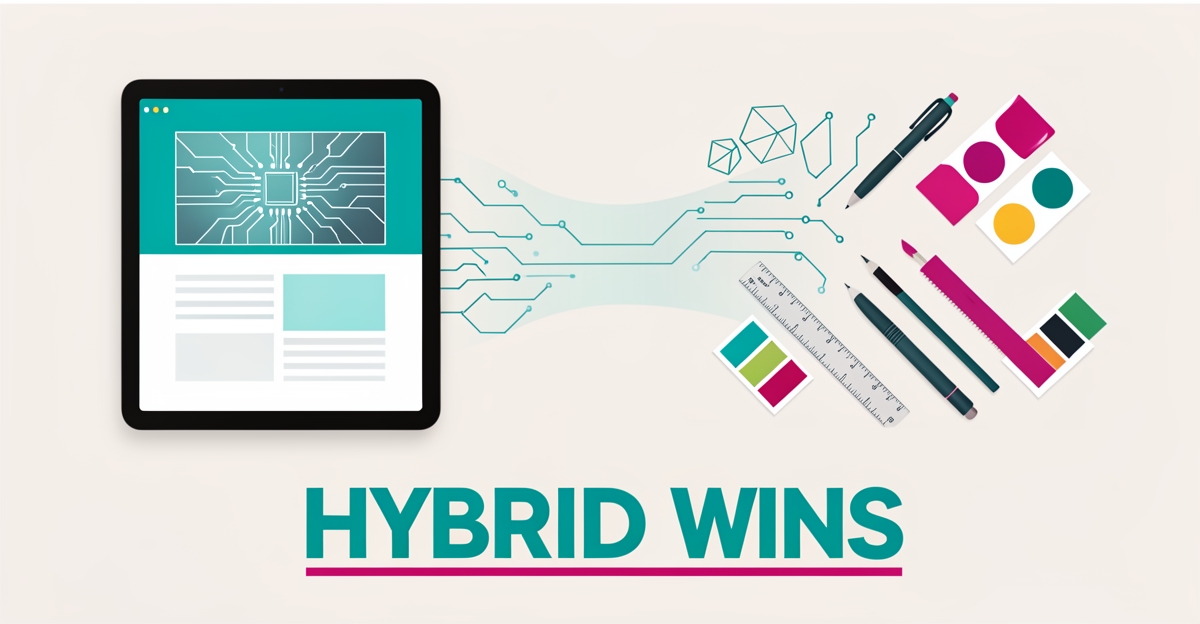
The evidence is clear: the choice between in-house expertise and AI isn't binary. Research from Figma shows 85% of designers say AI skills will be essential, but the same data confirms narrow-scope tools — those built for specific, repetitive tasks — deliver the real gains. Broad generative tools still lack the design-system awareness that sign work demands. The winning model is hybrid: AI handles the first 60–70% of production drudgery (auto-tagging requests, generating first drafts from structured briefs, instant revision cycles), while your designers own strategy, brand consistency, and the client relationships that drive repeat business. AI Business Sites applies this same principle to client communication — routing leads, drafting follow-ups, and centralizing every conversation so nothing slips, with human review before anything reaches a customer. The next step isn't choosing a side; it's auditing your workflow to find where repetitive loops eat your team's time. Start there, apply narrow AI to those specific steps, and keep your people on the decisions that move revenue.
FOR local businesss — BUILT AND RUN BY US
Your website. Your content. Your leads. Your data.
$500 starts your build. Seven days later it's live — chat, booking, follow-up, and your Google presence all set up. Then we run it, every month. You do the work you actually get paid for.