
Key facts
- Karpi Studio clients reclaim 5+ hours per week in dev requests after Webflow implementation from agency data
- Typical Webflow project timelines run 8–12 weeks even with expert agency help per Karpi Studio
- Simple 5-page Webflow sites can be built in under a week only when design and content are ready according to agency timelines
- Over 53% of mobile visitors abandon a website if a page takes over three seconds to load per Webflow's official blog
- Poorly designed pop-ups can lead to a 6% reduction in page views due to user frustration cited by Webflow
- DreamHost's Remixer builds a complete professional website in minutes from a conversation with no code required per product page
- Popupsmart requires no coding or design skills and sets up in as little as 5 minutes per its FAQ
WANT RESULTS LIKE THIS?
Imagine a system doing all of this for your local business — every day, without you.
We build local businesses a custom website with a team of AI behind it: every lead captured and followed up, new content published monthly,customers finding you on Google — live in 7 days.
- 85+ pages at launch
- Every lead followed up, automatically
- Your whole business on one screen
Introduction
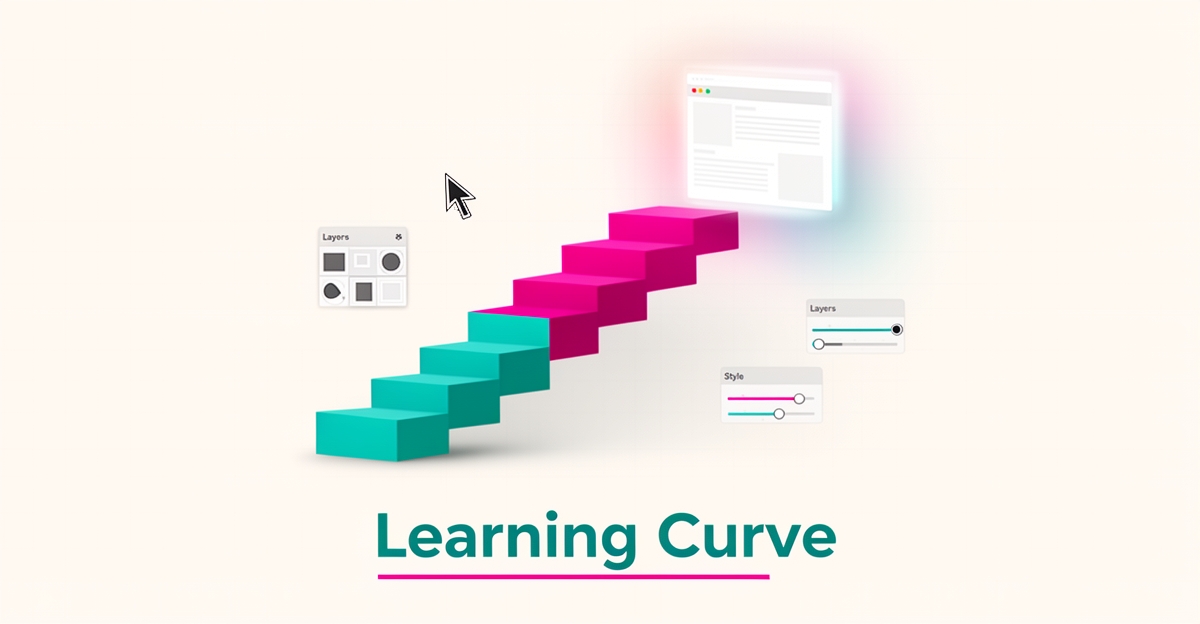
Webflow promises design freedom without code, but the reality sits somewhere between a visual builder and a development environment. The platform's own guidance acknowledges that achieving professional results requires both tool proficiency and foundational design knowledge — concepts like information architecture, contrast, and accessibility that take time to internalize. Webflow's official blog frames this as a dual learning curve: the software itself, plus the UX principles that make websites convert.
That complexity is exactly why a certified agency ecosystem exists. Businesses routinely outsource Webflow rather than learn it in-house — Karpi Studio, a Webflow Enterprise Partner, reports clients who went through failed attempts with multiple developers before finding adequate expertise. Their typical project timeline runs 8–12 weeks even with expert help, and they build component libraries specifically so marketing teams can manage content afterward without touching code. The message is clear: the initial build carries the learning burden.
- Webflow's CMS enables content updates "with just a few clicks" after professional setup and training
- Turnkey AI builders like DreamHost's Remixer build complete sites "in minutes" from a conversation with "no code required"
- Popupsmart requires no coding or design skills and sets up in as little as 5 minutes
- Karpi Studio clients typically reclaim 5+ hours per week in dev requests after Webflow implementation
The contrast with turnkey AI website setups is stark. These platforms eliminate the skill requirement entirely — DreamHost's Remixer generates a full site with real copy, images, and layout from a simple description, while Popupsmart explicitly states no coding or design skills are needed. For a business owner who needs a working website that captures leads and ranks locally, the question isn't whether Webflow can be learned — it's whether learning it is the best use of your time.
AI Business Sites exists for that exact reason. We deliver a custom 85+ page website live in 7 days, with ongoing SEO content, CRM, and AI-powered lead follow-up fully managed — so you get the outcome without the learning curve.
Key Concepts
Webflow sits between hand-coded development and instant AI builders, and that middle ground is where the learning cost shows up. It is powerful enough to build production sites, but it is not designed to be picked up in an afternoon.
The platform rewards design knowledge as much as tool proficiency. Webflow’s own guidance notes that sophisticated outcomes require understanding core UX concepts like information architecture, contrast, and accessibility, with built-in previews and auditing tools that reduce but do not remove that burden on the official Webflow blog. That is why a professional services market exists around it.
Agencies are the clearest signal of complexity. Multiple certified Webflow partners market strategy, consultation, and CMS management because businesses routinely outsource the work rather than learn it in-house from a certified Webflow partner site. Karpi Studio, a Webflow Enterprise Partner, has been Webflow-only for six years and reports clients arriving after failed attempts with three other Webflow developers in its agency overview.
Once a site is built, maintenance is easier. Karpi Studio states marketing teams can update sites without developers after project-based training, using drag-and-drop component libraries to spin up blog posts, webinar pages, and landing pages without touching code in its FAQ on team updates. Webflow’s CMS is marketed as enabling content updates with just a few clicks after the initial build by the same agency.
That build phase carries the real time cost. Karpi Studio’s typical Webflow project runs 8–12 weeks with an expert agency, with simple 5-page sites under a week only when design and content are ready from its project timeline guidance. Turnkey AI alternatives are positioned explicitly against that curve.
Turnkey AI and no-code builders market zero-skill onboarding. DreamHost’s Remixer builds a complete, professional website with real copy, images, and layout in minutes from a conversation with no code required and no templates on DreamHost’s product page. Popupsmart states you don’t need coding or design skills and can set up in as little as 5 minutes in its FAQ. WeWeb similarly promotes generating web apps with AI and fine-tuning in a visual editor with no coding required on its landing page.
Key differences that matter for a small business owner:
- Webflow requires tool proficiency plus foundational design knowledge; turnkey AI builders require a prompt.
- Webflow projects are measured in weeks with agencies; AI setups are measured in minutes.
- Webflow CMS updates are manageable after training; AI platforms are managed end-to-end.
For owners who want a website without a learning project, the contrast is practical. Done-for-you is not software to learn, it is the model AI Business Sites uses in the Building Your Website > Getting Started category, where the build and ongoing content are handled instead of handed over.
Best Practices
If you're going to learn Webflow, learn it with a plan. The evidence around Webflow's learning curve points to a clear pattern: the platform rewards structured effort, punishes casual dabbling, and — for most business owners — ends up being outsourced anyway. Here's how to approach it wisely.
First, decide whether learning Webflow is actually your job. Even expert agencies report typical Webflow projects running 8–12 weeks, with simple five-page sites taking under a week only when design and content are ready. If your time is worth more running your business than mastering a design tool, a done-for-you service — like the managed builds AI Business Sites offers — may be the smarter investment. Free is only free if your time is.
Second, budget for design knowledge, not just tool tutorials. Webflow's own blog acknowledges that good outcomes require both tool proficiency and foundational design knowledge — concepts like information architecture, contrast, and accessibility. Watching platform tutorials won't substitute for understanding why a page works. Plan to learn the UX fundamentals alongside the software.
Third, learn from other people's mistakes. A certified Webflow agency publishes a list of ten common beginner design mistakes to avoid in 2026 — a useful roadmap of the exact traps newcomers fall into. Study these before you build, not after your site is live and underperforming.
Fourth, if you do proceed, build in the right order. The consistent practitioner insight is that Webflow's hardest part is the initial design and build; ongoing content management is far easier. One Webflow Enterprise Partner sets up drag-and-drop component libraries and trains client teams during the project so marketers can publish blog posts, landing pages, and job listings without touching code after handoff. That sequencing — professional build first, self-serve edits second — is the model that works.
Fifth, know when the math doesn't work. Consider the contrast with turnkey alternatives:
- AI builders like DreamHost's Remixer build a complete site from a conversation in minutes, with no code and no templates required.
- No-code tools like Popupsmart explicitly require no coding or design skills and set up in as little as five minutes.
- Meanwhile, the very existence of a certified Webflow agency ecosystem — including clients who endured failed attempts with three other Webflow developers before finding adequate help — tells you most owners outsource rather than learn.
The honest takeaway: Webflow is learnable, but it's a real project requiring real hours. If your goal is a website that generates leads rather than a new skill on your resume, weigh the learning investment against a managed alternative that handles the build, hosting, and ongoing content for you — and lets you get back to the work you were actually trained to do.
Local business: doing this the old way?
One system replaces the whole pile.
All of it — the website, the follow-up, the content, the leads — built and run for you for $1,497 + $497/mo. Month-to-month, and you own everything.
See what your build includesImplementation
Learning Webflow means learning both a tool and the design principles behind it. The platform rewards skill, but that skill comes with a real time investment before a site is ready for business use.
Webflow is powerful enough to sustain a full agency ecosystem. Certified partners exist because businesses routinely outsource the platform rather than learn it in-house, with one Webflow Enterprise Partner noting clients arrive after failed attempts with 3 other Webflow developers. That market signal points to a meaningful skill barrier, not a weekend project.
The build phase carries the learning burden. Webflow’s own guidance frames proficiency as requiring both tool mastery and foundational design knowledge, including information architecture, contrast and accessibility. Built-in tools like responsive previews and WCAG-aligned auditing reduce some manual work, but they do not remove the design prerequisite.
Typical timelines reflect that reality. A Webflow Enterprise Partner reports typical Webflow project timelines of 8–12 weeks, with simple 5-page sites possible in under a week only when design and content are ready. By contrast, turnkey AI builders are positioned for zero learning: DreamHost’s Remixer builds a complete site in minutes from a conversation with no code required, and Popupsmart is marketed for setup in as little as 5 minutes with no coding or design skills needed.
Once a professional build and training are in place, maintenance becomes more accessible. Karpi Studio states marketing teams can spin up blog posts, webinar pages and landing pages without touching code after project-based training using drag-and-drop component libraries. Webflow’s CMS is marketed as enabling content updates with just a few clicks and no developer wait.
For a small business owner, the practical application is a choice between learning curve and done-for-you execution:
- Assess internal capacity for design and UX decisions, not just drag-and-drop
- Budget time for training and iteration; even simple sites assume ready design and content
- Decide whether ongoing content work should stay in-house or be managed
- Compare the cost of learning and maintaining against a managed system
That trade-off is why Webflow sits between full-code development and turnkey AI builders. It offers more control than template builders, but requires real learning investment.
AI Business Sites takes the opposite approach in its Getting Started category. Instead of teaching Webflow, the team builds and runs the entire AI-powered business presence, so owners get a custom website and AI back office without touching a technical tool.
Conclusion
Webflow rewards skill, and that is exactly why most business owners never build with it themselves. The platform sits between full-code development and turnkey AI builders — more capable than the latter, but requiring real learning investment.
Webflow’s own guidance confirms the curve involves both tool proficiency and foundational design knowledge, such as information architecture, contrast, and accessibility. Built-in tools reduce some complexity, but the learning requirement remains. According to Webflow’s official blog, over 53% of mobile visitors abandon a website if a page takes over three seconds to load, and poorly designed pop-ups can lead to a 6% reduction in page views due to user frustration.
The market reflects that difficulty. A certified Webflow Partner notes clients typically reclaim 5+ hours per week in dev requests after Webflow implementation, and a typical Webflow project timeline is 8–12 weeks; simple 5-page sites in under a week when design and content are ready. The existence of an entire agency ecosystem around Webflow is itself evidence of a meaningful skill barrier.
Karpi Studio, a Webflow Enterprise Partner, states marketing teams can update sites without developers after project-based training, using drag-and-drop component libraries. That is the accessible part — the CMS. The initial build and design phase carries the learning burden, and even then training is required for self-sufficiency.
Turnkey AI and no-code alternatives are positioned explicitly the opposite way:
- DreamHost’s Remixer builds a complete professional website “from a conversation” in minutes with no code required, no templates
- Popupsmart requires no coding or design skills and sets up in as little as 5 minutes
- WeWeb generates web apps with AI and requires no coding
For business owners in Building Your Website > Getting Started, the choice is between learning a powerful visual builder or skipping the learning entirely. AI Business Sites is built for the second path: a done-for-you system where the website, content engine, and AI back office are set up and managed without touching a single technical tool.
If you want control and are willing to invest weeks in training and design decisions, Webflow can work. If you want a custom site live fast with ongoing content and follow-up handled for you, a turnkey AI setup removes the learning curve altogether and lets you focus on running the business.
Frequently Asked Questions
How long does it typically take to learn Webflow enough to build a professional website?
Can I learn Webflow just by watching tutorials, or do I need design knowledge too?
Is Webflow easier to learn than turnkey AI builders like DreamHost's Remixer or Popupsmart?
After a Webflow site is built by an agency, can my team update it without touching code?
Why do businesses hire Webflow agencies instead of learning it in-house?
Is Webflow harder to learn than traditional hand-coded development?
The Skill You Don't Need to Learn
Webflow is learnable — but it demands real investment in both tool proficiency and foundational design knowledge like information architecture, contrast, and accessibility. The fact that an entire agency ecosystem exists around Webflow, with clients often arriving after failed attempts with other developers, tells you most business owners ultimately outsource rather than master it themselves. Even then, a typical project runs 8–12 weeks. If your goal is a website that generates leads rather than a new skill on your resume, there's a more direct path. AI Business Sites delivers a custom 85+ page website live in 7 days — with ongoing SEO content, CRM, and AI-powered lead follow-up fully managed — so you skip the learning curve entirely and get back to running your business. Ready to see what done-for-you actually looks like? Book a free strategy call and let's talk about your build.
FOR local businesss — BUILT AND RUN BY US
Your website. Your content. Your leads. Your data.
$500 starts your build. Seven days later it's live — chat, booking, follow-up, and your Google presence all set up. Then we run it, every month. You do the work you actually get paid for.